Clover Line Gradient Icon: Versatile Design for Any Project
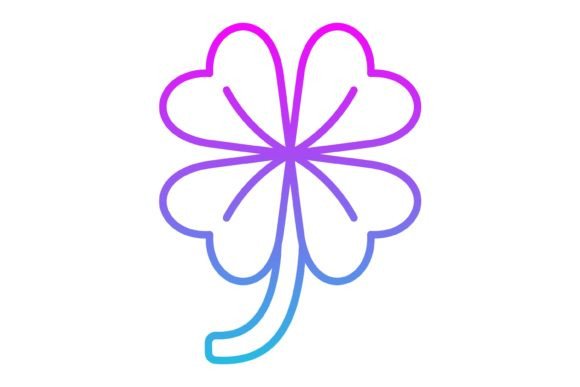
Finding the right visual element that is both distinctive and adaptable can feel like searching for a four-leaf clover itself. The Clover Line Gradient Icon set steps in as a practical solution, offering a collection designed to bring a touch of organic elegance and modern clarity to a wide array of projects. This isn't just a single image; it's a comprehensive toolkit featuring 100 vector icons, each crafted with a clean line style and a subtle gradient effect. The result is a visual language that feels fresh, professional, and surprisingly versatile.
What Makes This Icon Set Stand Out?
At its core, the appeal lies in the thoughtful combination of style and substance. The "line gradient" approach means each icon is defined by its outline, filled with a smooth color transition. This technique adds depth and visual interest without overwhelming the design, making the icons feel contemporary and approachable. They are neither purely flat nor overly complex, striking a balance that works across various contexts. The clover motif itself—a symbol often associated with luck, nature, and positivity—lends a friendly and recognizable character to the set, making it suitable for brands and projects that want to convey trustworthiness or a connection to growth.
The true power of this collection is its ready-to-use nature across all devices and platforms. Each icon is meticulously designed for maximum usability, ensuring clarity whether displayed on a tiny mobile screen or scaled up for a large presentation slide. This attention to detail saves creators and designers significant time, eliminating the need to rework assets for different mediums.
Unlocking Creative Applications
The versatility of the Clover Line Gradient Icon set opens up a world of possibilities. Here’s how different professionals can leverage these assets:
For Digital Designers and App Developers
In the realm of mobile apps and websites, consistency and clarity are paramount. This icon set provides a cohesive visual system for user interfaces. Use them for navigation menus, feature highlights, or interactive buttons. The transparent PNG format is perfect for layering, while the SVG files ensure icons remain crisp and load quickly at any resolution. Imagine a wellness app using the clover icons for sections like "Daily Goals," "Progress," or "Community," instantly creating a unified and pleasant user experience.
For Marketers and Content Creators
Visuals drive engagement. Marketers can use these icons to break up text in blog posts, enhance social media graphics, or illustrate key points in email newsletters. The consistent style helps build brand recognition. A small business owner creating a presentation for investors could use the icons to visually represent concepts like "Innovation," "Sustainability," or "Partnership," making complex information more digestible and memorable. The gradient effect adds a professional polish that elevates the overall design.
For Educators and Presenters
Clear communication is essential in education and corporate settings. These icons can transform a dense slide deck into an engaging visual story. They are excellent for creating infographics, labeling diagrams, or adding visual cues to training materials. The friendly clover design can make technical or abstract topics feel more accessible to students or team members.
For Print and Physical Media
The utility extends far beyond the digital screen. With formats like AI, EPS, and high-resolution JPG included, designers can seamlessly integrate these icons into print projects. Think about business cards, brochures, stickers, or packaging design. The vector formats (AI, EPS, SVG) allow for infinite scaling without loss of quality, making them perfect for everything from a small logo element to a large banner print.
Practical Guidance for Effective Use
To get the most out of this resource, a thoughtful approach is key. Here are some practical recommendations:
- Choose the Right Format for the Job: Use SVG or AI/EPS for projects where scalability and editability are crucial (like logos or web graphics). Opt for PNG when you need a transparent background for digital layering. JPG is suitable for situations where file size is a concern and a solid background is acceptable.
- Maintain Consistency: While the set offers 100 icons, using a consistent subset across a single project (like a website or app) will create a more professional and organized look. Stick to the same color palette derived from the gradient for a harmonious feel.
- Edit with Purpose: The vector formats are easy to edit. You can adjust the gradient colors to match your brand palette, modify line weights, or combine elements. However, avoid over-complicating the design. The strength of the icons lies in their clean, recognizable form.
- Consider Your Audience: The clover symbol carries positive connotations, but always ensure the visual tone aligns with your message. For a serious financial report, you might use a more muted color application of the icons than you would for a children's activity sheet.
Organizing for Efficiency
With a zip file containing multiple formats, organization is your best friend. Create a clear folder structure on your device—for example, separate folders for Digital Projects, Print Ready, and Source Files. This simple step will streamline your workflow, allowing you to quickly locate the exact file type you need without sifting through dozens of assets. Naming files consistently (e.g., "clover-icon-heart.svg") further enhances efficiency.
The Clover Line Gradient Icon set is more than just a collection of pretty pictures. It's a practical, well-designed toolkit that empowers creators across disciplines to communicate more effectively and beautifully. By understanding its features and applying it thoughtfully, you can add a layer of professional polish and visual coherence to your work, whether it's a personal blog, a corporate presentation, or a new mobile application. It’s a resource designed not just to be used, but to inspire smarter, more efficient design.