Call 911 Line Gradient Icon: A Practical Asset for Emergency Communication Design
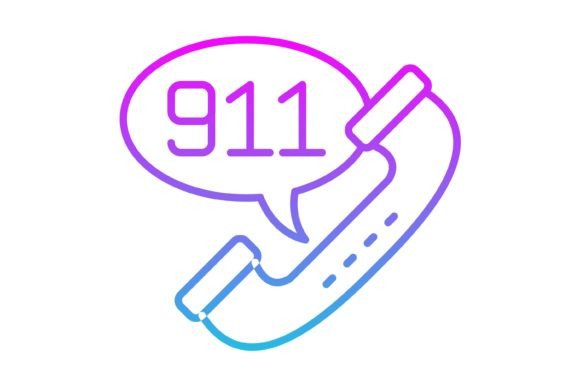
In the world of digital design, clarity is not just an aesthetic choice; it is a functional necessity. This is particularly true when dealing with critical user interface elements, such as emergency contact buttons or safety information guides. The Call 911 Line Gradient Icon represents a specific solution for developers and designers who need to convey urgency and action without cluttering their visual hierarchy. It is not merely a decorative element but a communication tool designed to bridge the gap between a user's immediate need for help and the functionality of the application or website they are using.
Analyzing the Visual Style and Aesthetic
The defining characteristic of this asset is its "line gradient" style. Unlike solid, flat icons that can sometimes appear static or heavy, or highly skeuomorphic icons that look dated, line gradient icons offer a modern, lightweight appearance. The use of a gradient within the line work adds depth and a subtle sense of dimension, making the icon pop against various background colors without dominating the screen space.
This style fits well within current UI trends that favor minimalism and "airy" layouts. For a Call 911 Line Gradient Icon, this visual approach is beneficial because it draws the eye naturally. The gradient suggests movement or a signal being transmitted, which metaphorically aligns with the concept of making a call. However, designers must be mindful of the specific gradient colors provided. While the icon is designed for versatility, the default color scheme must be evaluated to ensure it meets accessibility contrast standards against the specific background of the project at hand.
Technical Specifications and File Formats
A significant strength of this package is the inclusion of five distinct file formats: AI, EPS, JPG, PNG, and SVG. This variety is essential for a professional workflow. It indicates that the asset is not just a static image but a scalable resource intended for production environments.
- Vector Formats (AI, EPS, SVG): These are crucial for scalability. Whether the icon is used on a small mobile button or blown up for a print presentation poster, vector formats ensure the lines remain crisp and the gradients render smoothly. The SVG format is particularly important for web developers, as it allows for lightweight loading and CSS manipulation.
- Raster Formats (JPG, PNG): The inclusion of a transparent background PNG is arguably the most practical file for general use. It allows the icon to be dragged and dropped onto any surface without the white box effect common in JPGs. The JPG format serves as a fallback for contexts where transparency is not supported or file size constraints are extreme, though it is less flexible.
This multi-format approach ensures that the Call 911 Line Gradient Icon can be integrated into almost any software ecosystem, from Adobe Illustrator for heavy editing to basic CMS platforms like WordPress for quick implementation.
Usability Across Platforms and Devices
The claim that the icon is "ready to use for all devices and platforms" is a critical selling point for developers working in responsive environments. A common frustration in UI design is finding an icon that looks great on a desktop monitor but becomes an unreadable blur on a mobile screen. Because this asset is vector-based, it is resolution-independent.
For mobile app developers, specifically those building emergency apps, medical alert systems, or safety guides, the Call 911 Line Gradient Icon offers high legibility at small sizes. The line work needs to be distinct enough that it does not merge into a solid blob on a 32x32 pixel grid. Similarly, for web designers creating landing pages, the icon scales effectively for hero sections or footer elements. The consistency of the design ensures that the user experience (UX) remains uniform across iOS, Android, and web browsers, which is vital for brand trust.
Practical Applications and Target Audience
While the name suggests a singular use case, the application of the Call 911 Line Gradient Icon extends to various professional contexts. It is not limited to literal emergency dialing apps.
Healthcare and Safety Sectors: For hospital websites, clinic patient portals, or workplace safety training materials, this icon serves as a clear visual marker for emergency contacts. In presentation templates for corporate safety officers, using a standardized icon helps maintain a professional tone.
UI/UX Designers and Illustrators: Professionals building component libraries will find value in the consistency of the "line gradient" style. If the pack includes 100 icons, maintaining a consistent aesthetic across the entire set allows for a cohesive look in the final product. The Call 911 Line Gradient Icon acts as a puzzle piece in a larger design system.
Content Creators and Educators: Bloggers writing about public safety or educators creating digital courseware can use the PNG version to visually break up text and emphasize key points. It adds a level of professionalism that stock clipart often lacks.
Editability and Customization
The prompt highlights that the icon is "easy to edit and scale." This is a vital feature for brand alignment. A "Call 911" icon is useless if its color palette clashes with the host application’s theme. With the vector source files (AI and EPS), a designer can easily alter the gradient colors to match specific brand guidelines or to ensure compliance with accessibility laws (e.g., changing a low-contrast gradient to a high-contrast one for visually impaired users).
Furthermore, the ability to edit the stroke weight allows the icon to blend seamlessly with other typographic elements. If a website uses a very thin, elegant font, a thick, bold icon would look out of place. The flexibility of the Call 911 Line Gradient Icon ensures it can be adapted to fit the specific "voice" of the project.
Evaluating Strengths and Potential Limitations
From a professional standpoint, the primary strength of this asset is its balance between style and function. The gradient adds visual interest, but the line art keeps it clean. The file format inclusion covers all standard industry needs, removing technical barriers to implementation.
However, it is important to offer a realistic assessment. While the "line gradient" style is modern, it can sometimes present legibility issues on very complex or colorful backgrounds. A gradient icon relies on the background to provide contrast; if the background is a busy photograph, the icon may get lost. In such cases, the user would need to edit the icon to add a solid background circle or shadow, which requires basic editing skills.
Additionally, while the icon is designed for "maximum usability," cultural context matters. The "911" number is specific to North America. For international projects, the icon might need to be modified to display "112," "999," or a generic "SOS" or phone symbol. The editability of the vector files mitigates this issue, but it is a consideration for global applications.
Conclusion: Is It the Right Fit?
The Call 911 Line Gradient Icon is a robust, versatile asset suitable for a wide range of professional projects. It moves beyond generic stock imagery by offering a cohesive aesthetic and practical file formats. For developers building safety applications, designers creating medical interfaces, or content creators needing high-quality visuals, it provides a reliable foundation.
Its value lies in its scalability and editability, ensuring that it can adapt to the specific constraints of different devices and brand guidelines. While users should remain mindful of background contrast and regional emergency number differences, the asset itself is a high-quality tool for effective visual communication. It serves as a reminder that in design, especially regarding safety, clarity and quality are paramount.